Tuesday, September 8, 2015

From LMC to Innovation Commons

A majority of my work this summer was focused on putting everything I had learned with readings about STEAM and Maker Spaces, as well as what I had learned form my learning experiences to schools in Finland and California, and reinvent my library media centers.  The goal was to make it more than "just a library".


Above is the LMC space prior to the redesign at Jefferson Elementary.  The space did not allow for any of the key components that were needed to shift this space to an Innovation Commons like creativity, collaboration, critical thinking, and communication.  This space was originally designed as a simple library space for book checkout and a place for students to sit at tables and work.  After visiting schools in Finland and California, I strategically redesigned the space to work in the favor of the above listed components for an Innovation Commons.

The layout to the left was designed after much thought, reflection, and collaboration with the understanding that this space needed to be a central hub for personalized learning and would help promote student achievement.

Our student population is also very genre orientated which helped me make the decision to genre catalog our fiction section.  The space still needed to promote literacy and remain a library at its core.  But through space redesign reading could be highlighted amongst the new components and the texts could support STEAM, makers, and personalized learning.


The Redesigned Space


To quote one of my students, "I love this space.  It's the best place in the whole school".  That was music to my ears.


The space to the left is our MakerSpace and STEAM Space.  It has items for student inquiry, items for the kids to create/make with, and items for students to work with STEAM (science, technology, engineering, arts, mathematics) activities for critical thinking and personalized learning.  Items in this space will continue to grow and a monthly STEAM activity will be available for students to always allow for new opportunities in critical thinking and STEAM components.  Many of the items I was able to get through Scholastic, STEMfinity, and  MakerShed.  I have been continually curating STEAM activities and projects to complete with kids, either as enrichment opportunities, independent learning activities, or after school clubs, on Pinterest.  Check out my board - https://www.pinterest.com/missandy22/steam-library-activities/


The space to the right is our E for everybody section (housing pictures books).  We have some comfortable furniture for students to read or work, highlighted new books, a carpeted area for a read aloud, and a table space for small group work or collaboration.  The furniture in this space is smaller making this space nice for younger kids.  All the books were shelved so that they are not high for the littler ones.


This space is the fiction space.  When I genre cataloged, I chose to focus on Sports, Historical Fiction, Realistic Fiction, Fantasy & Science Fiction, Mystery, and Series.  The redesign of the space will allow the genre cataloging to be highlighted and easy to access for students.  Each book is stickered with its own genre sticker and signs above the section match the sticker colors and the cataloging identifier (i.e. Realistic Fiction book by Carl Hiassen will be labeled in Destiny as R FIC Hia). There is a table for collaboration as well as comfortable seating for the students to lounge and read or work.

This space is the non-fiction space.  The space works as an inquiry section that not only allows a space for small group work, but also a strategically placed space off the computer lab that allows for students to research on the computer or in the non-fiction space without teachers losing sight of their students.

Within all the space, we have technology available in the form of Chromebook, PCs, and iPads, for the students to utilize.  We have a green screen kit, Safari Montage broadcasting cart, Mac creation station, and a SMART Interactive TV all setup for use as needed.  A majority of this equipment is mobile allowing for staff and students to work where best fits their needs.

We are just in the first week of my introduction of this space to students and staff but already am I getting some great feedback.  I can't tell you how excited I am to continue onward!


Monday, April 27, 2015

International Penpals

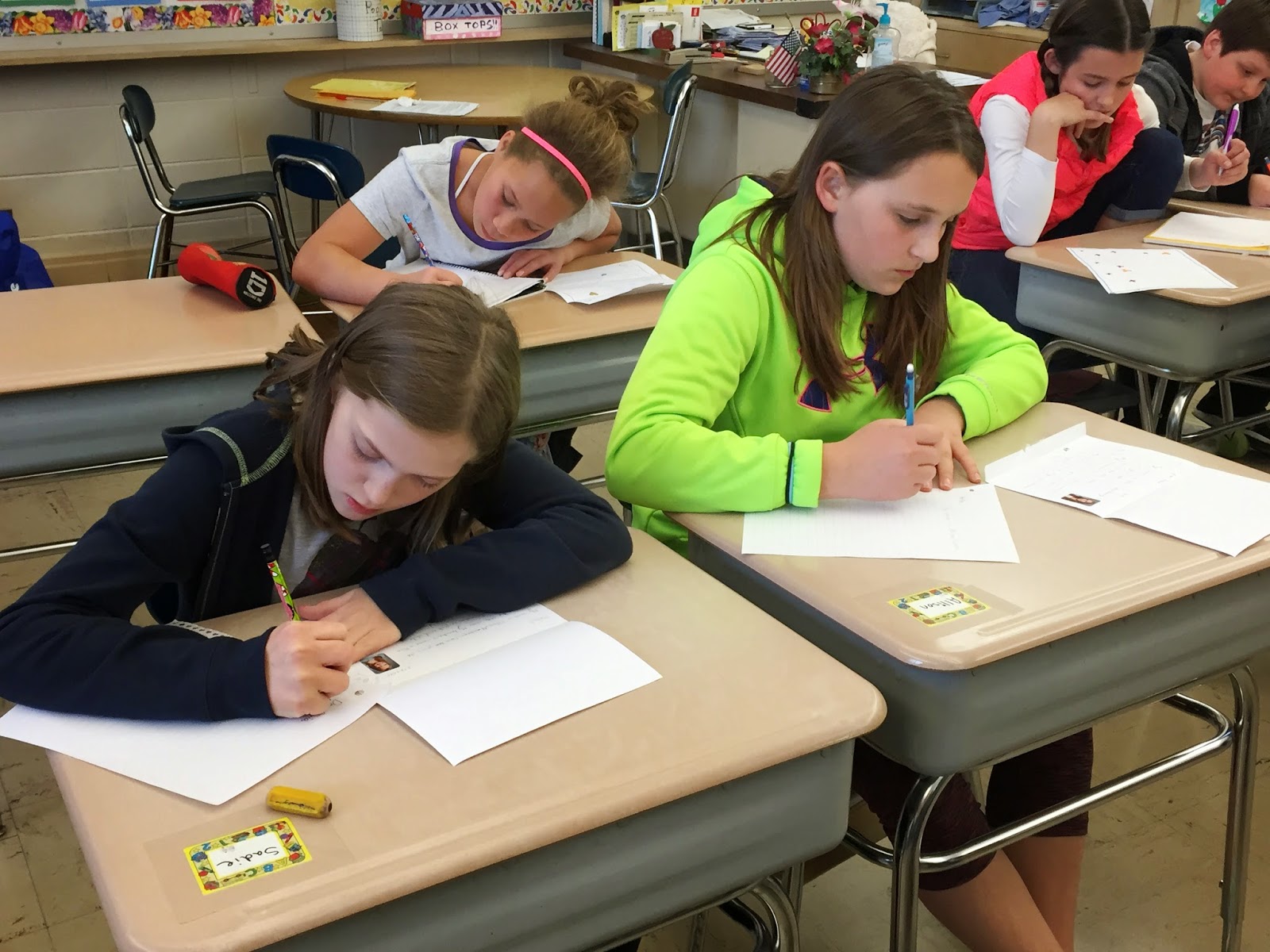
One of the best products of my trip to Finland was meeting with two educators from a Finnish school north of Helsinki.  We collaborated and put a plan in place to set up penpals between our classrooms.   We wanted our initial letters to be hand written so that the students felt they were more personal and they got the feeling of receiving something in the mail from another country.   From there, they could then continue corresponding via email or post (whichever they preferred).  We also planned to share projects that we were doing in class to help give our students a real global audience to which they could share their learning.  To do this, we set up a blog called Bridging Communities (this ties in with the Building Bridges theme from the Global Education Foundation).


Last week our first letters arrived and the students were ecstatic to receive them.  For the most part we were able to pair them one to one, boy to boy and girl to girl, with a couple sharing a pen pal or receiving two.  The students read their letters and immediately were sharing with each other and asking some questions of me, such as what team is Oulun Kärpät (a Finnish ice hockey team), what is floorball, and what is a pedal car.  The letters lead to lots of discussions about similarities and differences from Finland to the USA.


When most of the discussion had died down, the kids asked if they could begin writing their penpals back.  My response was of course.  They began writing and you could have heard a pin drop until they began sharing what they had written, asking for ideas of what to share with their penpal, and wondering if it was okay to say Americanized things in the letters like football or tv show names.


I'm so excited to continue this collaboration into future school years.  The engagement level for our students has increased for wanting to create projects to share, have time for writing, and we are building relationships that could span a lifetime.

Tuesday, April 21, 2015

WISELearn Digital Content Curation Training


Today I met with other educators from my area for a digital content curation training for WISELearn, a Wisconsin educator portal.  The educators were made up of different grade levels, content area, and positions in the districts of Dane, Green, Jefferson, Kenosha, Racine, Rock and Walworth counties in southern Wisconsin.

What is WISELearn?
WISELearn is a portal being developed by DPI that will provide all Wisconsin educators with a place in which to collaborate and learn and where they can find content for their teaching and their own development.


WISE Learn will provide a social networking platform to support professional learning communities and repositories of a broad variety of digital material related to educators’ teaching duties and professional learning objectives.  

Open Educational Resources, or OER, is one category of content that will live in WISE Learn. Our project involves beginning to build WISELearn’s OER collection.

Project Goal
Our collective goal is to build a high quality starter collection of teaching resources for WISE Learn. In particular, we interested in an OER collection

  • That was curated by Wisconsin educators, who reviewed and offered guidance for using each item;
  • That was vetted using criteria drawn from Achieve’s OER rubrics and EQuIP rubrics; and
  • Whose items have been correlated to Hess’s cognitive rigor matrix.  


Ideally this portal will be released in the Fall of 2015.  Some of the curation has already been completed by a couple of CESAs (Cooperative Educational Services Agencies) already in Wisconsin.  The fact that many CESAs are collaborating on this brings a variety of grade levels and content area expertise to the table.

The term OER (open educational resource) can be defined as "a general term referring to teaching and learning materials that are freely available online for everyone to use."  The open movement is partly making materials available and sharable with limited restrictions.  All resources will be free and available for everyone.

Copyright is a huge issue when curating information.  With each resource we checked their copyright status and the policies aligned with the webpage we found the resource on.  WISELearn will honor the rights of authors and creators.  Curators of resources will identify the license associated with the resource.


For more information, go to: Copyright for Teachers or About Creative Commons

I won't say that this is an easy process, but the end result is going to be very beneficial to educators.  The process forces me to really look deep at the content and analyze what is there, how its used, the opportunities for deeper learning or critical thinking, and how it aligns to the CCSS (Common Core State Standards).  Questions were assessed using a rubric for how well the resource is aligned to the intent of the ELA CCSSs and what is the quality of instructional support materials, assessments, subject matter explanation, and student engagement.

The day itself allowed for a lot of collaboration to take place.  I think this is very valuable in the curation and assessment process.  Multiple viewpoints allowed for insights that one may not have gained on their own.  I know I value feedback on things I write before finally punishing them just because I worry I am not using the right words or if I am missing an important piece as an oversight.  This makes this a better resource in my opinion.

Keep an eye out for this great resource to be available this fall!


*definitions and screenshots from DPI WISELearn documents and training information.

Friday, April 17, 2015

Full STEAM Ahead!

It's been like Christmas for me the last few weeks as much of my new furniture and kits have arrived at my LMCs.  I love opening the different items for the kits and getting excited about my ideas all over again.  I have also been putting out the furniture as it has been arriving and listening to the kids as they get excited over it.  My favorite comment came from a fifth grade who said, "It's starting to look like a real library in here."  That sparked a good conversation about why it wasn't already a real library.  the biggest feedback I received is that it wasn't comfortable before to read.  We just had hard chairs and hard tables.


Today I was involved in a webinar done through DEMCO.  Amy Koester, the youth & family program coordinator at Skokie Public Library in Illinois, presented on "STEAM & the Maker Mentality for School-Age Youth".  This was one of the better webinars I have attended in awhile.  I got lots of useful information and was not overwhelmed with too much information.  Everything that was suggested was doable, the supporting information helpful, and the project ideas low-medium in cost.  All good and supportive in a public elementary school on a public elementary school library budget.  The best part is it will help when I address staff so that there is more buy-in.

I guess I should jump backwards a little bit to kind of explain what STEAM is and means.  STEAM stands for:


Since the the early 2000's, the focus on teaching arts and science together has been a hot topic.  Even Mae Jemison said in her 2002 TED Talk that "The arts and sciences are avatars of human creativity."  The ultimate goal with STEAM is to foster the open-ended exploration in the areas of science, technology, engineering, arts, and math.  We need to share with the kids that there is no one right way to do things which will help their problem-solving skills.  


Amy shared some important reasons for why we should have STEAM in the library.  First and foremost, the kids love it.  They enjoy the time for exploration and personalized learning.  Also, literacy is multifaceted.  Other reasons are that we foster that lifelong learning in all ages and that interest is a powerful motivator.  Carl Sagan said, "Every kid starts out as a natural-born scientist."  Let's teach kids that it is okay to be daring, innovative, and to fail and try again.

Besides STEAM activities, adding the maker mentality to your LMC is also important.  The maker attitude allows for the exploration of new skills and to create something meaningful like a product or an experience.  Allowing for making in the library is a way of offering new programs and services, like STEAM it promotes lifelong learning, you can facilitate community engagement and it helps to put the library as third space (home, work/school, library).  They don't have to come to the library, they choose to come.  The best thing about having making in your library is that if you need to, you can really make it a low cost activity.  You don't need speciality materials or have a lot of experience to make.  You can also bring in community players to help facilitate the making workshops like artists.

Amy shared some go to resources that I encourage you to check out.  They help to give ideas or materials to make STEAM and MakerSpaces a part of your library.

Go-To Resources


Friday, March 20, 2015

Let the Revamp Begin

Over the last couple months, quite a few things have inspired me to really put a focus on revamping my library spaces at both my buildings.  Although they function nicely, this is not what a 21st century library should look like.  I want creation stations, makerspaces, a revolving door of students eager to embark on inquiry, investigations, technology utilization, collaboration zones, and comfortable reading furniture.  I think by making the library (or soon-to-be innovation center) the hub and heart of the school, more classrooms would be open to shifting their outlook on teaching.  Students can no lose the chance to be collaborative, critical thinkers, or creative.  They should have choices,  essential questions to drive them, tools to create, and resources to answer their wonderings.  This is the way to we teach them to "learn to love to learn", as Kevin Honeycutt put it.


I was fortunate enough to take a day trip to visit some schools in Kenosha, WI who have already worked on making their libraries more of an innovation space.  I gained some wonderful ideas that I could take back to my buildings and implement.  Some of these ideas included moving the book shelves around to create nooks with furniture for independent work or collaboration, utilizing more technology with mobile devices and a green screen area, genre cataloging (at one building this would be ideal), and an open door policy where students can come down whenever their teacher gives them permission to explore or create.


From here my passion was furthered inspired by the project-based learning, innovation, and personalized learning happening in Finland schools.  Students were constantly investigating in areas that they could be comfortable in.  They were given essential questions to drive their inquiry and the time to really put their all into the topic, not just 30 min like the schedule says and then its time to move on.  Students could learn about things they were interested in too.


I took some time to focus on each space and what was best for my buildings in the beginning.  I know that at one building the students have a strong genre focus when it comes to checking out books in the library.  For this reason, I chose that building to be the one that I would catalog by genre in.  I shared the idea with my aides and other resource staff who are willing to volunteer their time with me this August to make this a reality.  I also know that at both buildings, buy in from staff and professional development on the space must happen.  I want everyone to enjoy this space, not just some.

I finally took the time to sit down with each of my principals and discuss my vision for these spaces.  I was met with enthusiasm and 'how can I helps'.  Talk about becoming excited.  I began scouring through some library resource catalogs to find options that fit what I was looking for.


Purchase orders were written for furniture that was mobile and comfortable.  I then visited sites like MakerShed and STEMfinity to get some good STEM resources that students could work with (and that were not consumables at this point).  I purchased resources for students to create with including textiles, paper, art supplies, and more.  I used Scholastic Dollars from my book fairs to obtain some science investigation tools and reading resources, as well as additional furniture.


Embedding the technology into the space is another goal.  I want to have mobile devices available for inquiry but also to make the space interactive with QR codes and Augmented Reality.  There will be spaces for a green screen and video camera to be setup, as well as a Mac or computer workstations available to them to edit or create presentations.  Science technology, like microscopes for investigation, and robotics equipment will be readily available to the kids too.


Lastly, I talked with my custodians about my vision for the layouts to make sure it was not only doable, but that they would be able to assist.  Both of them were on board with finding a time towards the end of the year to sit down, discuss, measure shelving, map a layout, and draw up a final plan.  I also am going to present at one of my buildings PTA meetings to see if additional funds or equipment could be donated to help brighten the space and provide additional resources.

I know this shift is not going to happen over night.  It's going to take a lot of hard work on my part, and a lot of support from staff and administration.  But I believe, just like the saying in a Field of Dreams, if you build it, they will come.

Thursday, March 19, 2015

Inspired by Kevin Honeycutt

Our district was visited last week by Kevin Honeycutt, last year's ISTE keynote speaker, and if you haven't heard of him, I encourage you to check out him out.


I have been to my share of keynote speakers and district lectures.  There have been some that have left things resonating and others that I was bored to tears (I'll be honest).  This time, I couldn't help but be engaged and listen to every word.  The way Kevin gets right to your emotions was.... well I can't even describe it other than it reminded me why I chose to be a teacher again.  I was laughing and I had tears in my eyes all at the same time.


His talk made me actually Google search during our break to find the high school teacher that had the most profound impact on my life.  I remember Mrs. Buchheit as a woman who was a great listener, had the patience of a saint, promoted her lessons with energy and enthusiasm, and was there for you regardless of whether it was school related or not.  She is really the teacher that I can look back on and remember her face, her lessons, and her voice.  Mrs. Buchheit helped mold me into the teacher I am today!

His talk made me email that student that I know I reached, but has fallen by the wayside again, and tell him I'm still here and I still believe in him.  Over the course of this child's grade 3 year in my room, we moved from a setting where you didn't know what would set him off, to a child who worked for me and listened with great interest.  While in 4th grade he knew he could always come to me for help and guidance.  He often showed up before school to work on homework because he didn't have a home setting that made it possible.  I gave him a snack for the morning and mid-day because sometimes mom was too tired to make or send anything.  In fifth grade, I moved to a new district.  Not by choice but rather by circumstances.  I received this letter from him the day he found out I was leaving the school:


I still kept tabs on him, checking in every so often.  He would stop in to my friend's classroom in the building to call me or write me.  When he was having a particularly hard time, his teacher would call me and I would speak to him from my new classroom.  Eventually I found myself back in the same district.  We would send emails back and forth, but he was always vague about what was going on in his life.  The next thing I knew he was no longer communicating and through investigation I found that his mom had moved him south to be closer to his dad.  Not quite a year later they did return but this child has been on  downward slope.  It breaks my heart to know he is on the wrong path and that circumstances outside of school have lead to poor choices.  If anything that Kevin Honeycutt said really resinated with me, it would be that I can't give up on him, especially of everyone else close to him has.

Some of the best quotes and takeaways from today:
  • If you don't care who gets the credit, you can make anything happen.
  • Kids are learning on a digital playground and nobody's on recess duty.
  • Write on your students' mind with permanent ink!
  • Record your lessons and team teach with yourself.
  • Don't let politicians sum us up. Tell the stories about your students, it's not bragging....It needs to be heard. Take charge! Get the word out!
  • First generation to have global competition. How are you getting your students ready?
  • Learn to Love to Learn
  • It's okay to model that humans need to keep learning.... So if you're unsure of using tech in the class it's okay, let the kids help.
  • Re-believe in your students! Make them feel valued!
  • Kids come to us the best they can & sometimes it's not good. It's not our job to judge...
  • They are all our kids.... Not just the easy ones!
  • The most dangerous place to be in a school is alone.
  • The world is changing, why aren't we?
  • Worksheets on an iPad is moving sideways.... Move forward!
  • Is your school global or snow global?


Wednesday, March 11, 2015

Bringing Augmented Reality to My Schools

Augmented Reality (AR) is something that I first learned about over a year ago at a Tech Ed conference.  I was intrigued by the capabilities and the engagement level I thought it would bring to my elementary students.  First off, I am sure there are many who are not yet familiar with this terminology.  The easiest way for me to explain it is that it is similar to scanning a QR code with your device and being brought to a webpage, picture, or video.  What is different with this is that instead you use an app to scan a picture (which you have already pre-determined) and it overlays with anything you want like a video, website, or even a 3-D character.  The benefits of this are that the students are associating a picture with part of what they are learning, or even that nothing extra needs to be created.  For example, take a picture of the cover of a story, overlay a video of the story being read, and now when the child puts the cover in their iPad window the story immediately opens and comes to life.

Here's an example of Augmented Reality being used with animal pictures to create the animal nose and a 3-D picture of the animal (almost like it is coming to life):


Slowly I began playing with the app Aurasma that allows me to do Augmented Reality.  I started by using books I had purchased for my 5 year old nephew.  I took snapshots of the covers and created videos of me reading him the story.  This way if he wanted to do his own bedtime stories with me he had that option with his iPad.  By doing these, I began becoming more comfortable with the tool.  I've always been a strong believer in playing with these new tech tools in my personal life first, usually with my nephew as my guinea pig, and then implementing them in my schools.  I had many great ideas for its use, but sadly I got pre-occupied with other things and the ideas never really came to life.

My time in Finland really rejuvenated these ideas and how they could really benefit students when used appropriately.  This is when my big idea hit.  One of my schools has adopted the Wonders reading program and started implementing it this year.  Each section, the students are introduced with a new theme and vocabulary words.  What better way to use Augmented Reality but to tie it to those.  My goal is to begin with Kindergarten and work my way up.  There are vocabulary cards in the supplementary materials that I can use as my pictures and then choose to tie it to a video, website, or 3-D character.  This, I believe, will also benefit are ELL students who may not have background knowledge in these areas.

Another area of focus is the theme of space.  This theme comes up in the 2nd grade Wonders curriculum, as well as the 3rd grade Science curriculum.  I have begun curating pictures of the different objects in our solar system and have started the search for relevant information and multimedia to overlay on these pictures.  When students get the opportunity to interact with what they are learning, the engagement level increases.  Augmented Reality does this. "Though it might be a buzz term in education circles, don't assume that AR is just another fad. After all, profound learning occurs when students create, share, interact and explain. AR not only changes the environment around children, it also allows kids to construct their own exciting learning worlds as small as the atom or as big as the cosmos."

The benefit of all of this is that I can also use the material I create as exploration activities in library (LMC), or soon-to-be Innovation Center.  This will provide the opportunity for students to investigate based upon interest in a topic.  I can continually build upon this as I listen to students' interests or other relevant topics.  I'd love to even tie it to some of our library books that are multicultural and areas of diversity.  What better way to build background knowledge.  The ideas are endless!

So check out this topic and give it a try.  I'll be sure to share some videos as soon as I get my students up and using AR!

Here is some information on Augmented Reality in education from some of my favorite blogs and resources; Edutopia and Two Guys & Some iPads: